

Como incentivo a educação, proporcionamos descontos em compra coletiva para escolas, professores e grupos makers.
Entre em contato conosco e saiba mais a respeito.
// the setup function runs once when you press reset or power the board
void setup() {
  // initialize digital pin LED_BUILTIN as an output.
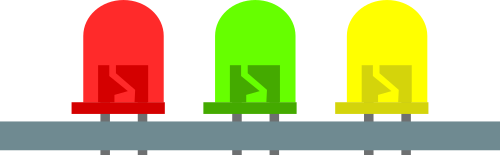
  pinMode(10, OUTPUT); // Led Amarelo
  pinMode(11, OUTPUT); // Led Verde
  pinMode(12, OUTPUT); // Le Vermelho
}

// the loop function runs over and over again forever
void loop() {
  digitalWrite(10, LOW);   // turn the LED on (HIGH is the voltage level)
  digitalWrite(11, LOW);    // turn the LED off by making the voltage LOW
  digitalWrite(12, HIGH);    // turn the LED off by making the voltage LOW
  delay(1000);                       // wait for a second
  digitalWrite(10, LOW);   // turn the LED on (HIGH is the voltage level)
  digitalWrite(11, HIGH);    // turn the LED off by making the voltage LOW
  digitalWrite(12, LOW);    // turn the LED off by making the voltage LOW
  delay(1000);                       // wait for a second
  digitalWrite(10, HIGH);   // turn the LED on (HIGH is the voltage level)
  digitalWrite(11, LOW);    // turn the LED off by making the voltage LOW
  digitalWrite(12, LOW);    // turn the LED off by making the voltage LOW
  delay(1000);                       // wait for a second
}

}
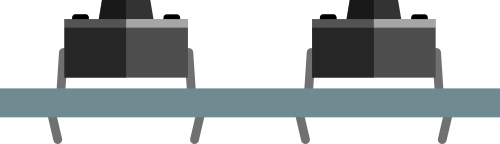
Como incentivo a educação, proporcionamos descontos em compra coletiva para escolas, professores e grupos makers.
Entre em contato conosco e saiba mais a respeito.
const byte LED[] = {12,11,10};

#define BUTTON1 3
#define BUTTON2 4

void setup()
{
    // initialize the digital pin as an output.
    /* Set each pin to outputs */
    pinMode(LED[0], OUTPUT);
    pinMode(LED[1], OUTPUT);
    pinMode(LED[2], OUTPUT);

}

void loop()
{
    if(!digitalRead(BUTTON1))
    {
        digitalWrite(LED[0], HIGH);
        digitalWrite(LED[1], HIGH);
        digitalWrite(LED[2], HIGH);
    }

    if(!digitalRead(BUTTON2))
    {
        digitalWrite(LED[0], LOW);
        digitalWrite(LED[1], LOW);
        digitalWrite(LED[2], LOW);

    }
}
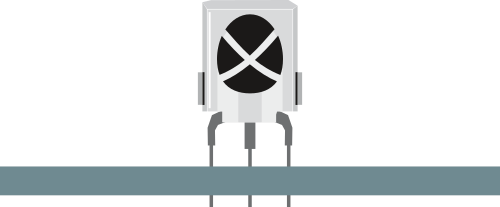
Como incentivo a educação, proporcionamos descontos em compra coletiva para escolas, professores e grupos makers.
Entre em contato conosco e saiba mais a respeito.
#include// Biblioteca IRemote const int Controle_Pin = 5; // Arduino pino 12 conectado no Receptor IR IRrecv irrecv(Controle_Pin); // criando a instância decode_results resultados; // declarando os resultados unsigned long key_value = 0; bool Led_1, Led_2, Led_3 = false; void setup(){ Serial.begin(9600); pinMode(10, OUTPUT); // LED vermelho no pino D05 pinMode(11, OUTPUT); // LED amarelo no pino D06 pinMode(12, OUTPUT); // LED azul no pino D07 irrecv.enableIRIn(); irrecv.blink13(true); // Pisca o led 13 do arduino, apenas para uma referencia visual // pois nao conseguimos ver a luz infravermelha do controle } void loop(){ if (irrecv.decode(&resultados)){ if (resultados.value == 0XFFFFFFFF) resultados.value = key_value; switch(resultados.value){ case 0xFF30CF: Serial.println("Botão 1"); Led_1 = !Led_1; // alterna o estado do LED D05 digitalWrite(10, Led_1); // acende ou apaga LED vermelho (D05) delay(300); // atraso de 250 ms break; case 0xFF18E7: Serial.println("Botão 2"); Led_2 = !Led_2; // alterna o estado do LED D06 digitalWrite(11, Led_2); // acende ou apaga LED amarelo (D06) delay(300); // atraso de 250 ms break; case 0xFF7A85: Serial.println("Botão 3"); Led_3 = !Led_3; // alterna o estado do LED D07 digitalWrite(12, Led_3); // acende ou apaga LED azul (D07) delay(300); // atraso de 250 ms break; } key_value = resultados.value; irrecv.resume(); } }